


Baby Translator & Cry Analyzer
3.248.00 Reviews
App Specs
- Version
- 1.03.12
- Updated On
- License
- Free
- Downloads
- 500,000+
- Developer
- Bankrot Studio
- Categories
- Parenting
- Platform
- Android, iOS
Screenshots
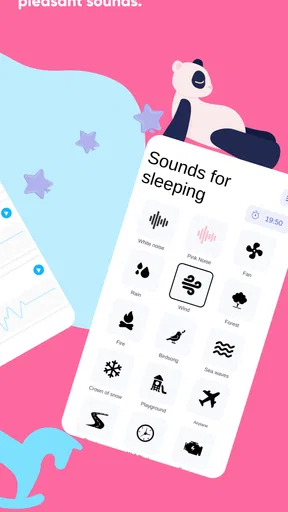
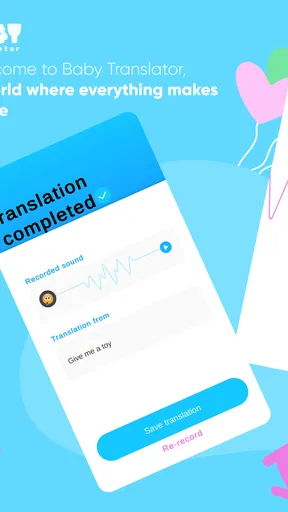
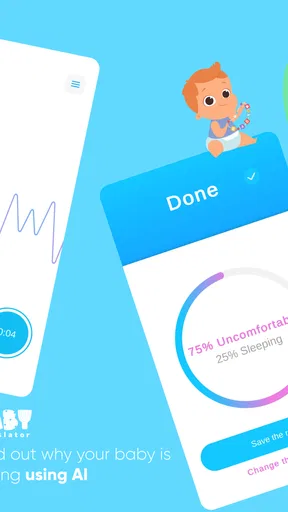
 Analysis by AppCompare
When a baby cries and the usual checks do not reveal an obvious cause, I can see why a parent might want another way to think through the moment. Baby Translator & Cry Analyzer is a parenting app that listens to a cry and offers a possible interpretation. I’d treat it as a prompt for observation, not a way to know for certain what a baby needs: the useful question is whether it helps you choose a sensible next check without distracting you from the child in front of you.
What I would look for before relying on it
For me, the right test is practical: does the app fit into a calm, repeatable routine, and can I use its suggestions without letting them overrule what I already know about the baby? A sound-based guess may be one clue among several, alongside the time since a feed, a familiar sleep pattern, the room, and the baby’s comfort. If the baby seems seriously unwell or unusually distressed, an app interpretation is not a substitute for getting appropriate help.
That distinction matters because the word “translator” can invite more confidence than a cry can support. Babies do not always cry for one neat reason, and hunger, tiredness, discomfort, and the need for soothing can overlap. I’d use a result to decide what to check first, then watch how the baby responds. If the suggestion does not fit, I would move on rather than keep recording in search of a more satisfying answer.
Understanding the Basics
So, what exactly is the Baby Translator & Cry Analyzer? In a nutshell, it’s an app designed to identify the reason behind your baby’s cries. It uses advanced audio analysis to categorize cries into several potential needs like hunger, sleepiness, or discomfort. Think of it as a bridge between you and your little one’s needs. While it sounds futuristic, the app is surprisingly user-friendly.
How It Works
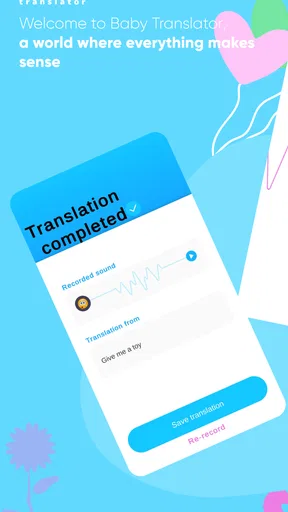
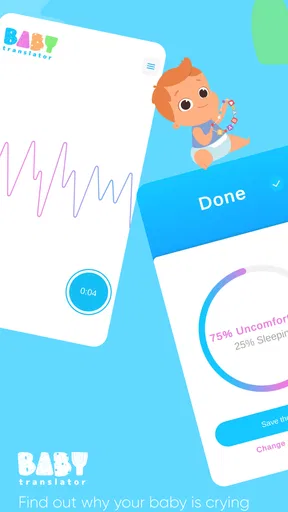
Getting started is a breeze. You simply open the app, press the record button, and let it capture a snippet of your baby's cry. The app then analyzes the sound and provides feedback on what might be causing the distress. It’s like having a mini Sherlock Holmes in your pocket, focused entirely on baby cries.
The app’s interface is clean and straightforward, making it easy for sleep-deprived parents to navigate. Each analysis comes with helpful suggestions, so you’re not just left with a diagnosis but also some potential solutions.
Making a result useful in real life
A realistic use is the late-evening spell when a baby has been fed recently, the diaper is clean, and settling has not worked yet. I’d record only if doing so is easy and does not delay comforting the baby, then treat the app’s response as a nudge: perhaps check whether the baby is tired, too warm, or simply needs closeness. The important part is the follow-through. A suggestion is useful only if it leads to a gentle check that makes sense for that child.
Worth Reading Before You Choose

EA SPORTS FC Mobile 26 Is a Bigger Football Game, but It Takes Time

Flipboard Shows What News Apps Must Do Beyond the Feed

Switching to Android Auto Means Rethinking Your Driving Routine

Google Calendar Makes a Crowded Week Easier to Manage

Ludo King Makes the Most of the Minutes Between Plans

Baby Panda World Brings Quick Play to Modern Phones, but Its Game Library Feels Busy
I would also avoid turning every cry into a recording task. When a baby is escalating, picking them up and responding matters more than getting a clean sample. A quieter moment may be a better opportunity to learn the controls, so the first attempt does not happen under pressure. If another caregiver is helping, it can be useful to agree that the app offers ideas, while the adult present remains responsible for deciding what to do.
Does It Really Work?
This was the big question on my mind. To test it, I used the app during various crying episodes with my friend’s newborn. The results were surprisingly accurate most of the time. For example, it correctly indicated hunger when the baby was due for a feeding and flagged discomfort when the diaper was wet.
Of course, it’s not foolproof. Babies are complex little beings, and sometimes their cries don’t fit neatly into categories. However, having a starting point is incredibly helpful, especially for new parents still learning the ropes.
Where it fits among parenting tools
Compared with the usual alternatives, this app has a narrow but understandable role. A feeding or sleep log helps a caregiver notice timing and routines, while a general parenting guide offers broader advice; neither listens to a cry and returns a possible category in the moment. The app’s appeal is that immediate audio-based starting point. Its trade-off is that it cannot replace the context a parent sees, such as what happened just before the crying or whether a familiar soothing approach works.
If you already know your baby’s common cues, a simple routine and your own observations may be faster than opening an analyzer. If you are new to caregiving, sharing duties, or feeling unsure about what to check first, a suggested category may help structure your attention. I would keep a basic written or mental note of what was happening and whether the suggestion helped; that makes the tool more useful than treating one result as a verdict.
Features Worth Mentioning
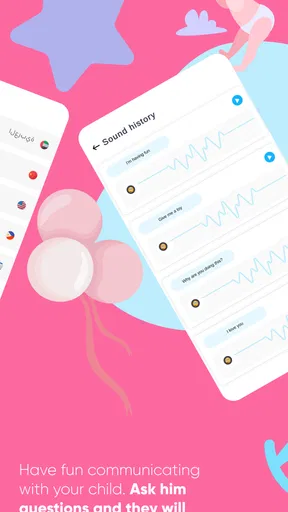
One feature I loved is the app’s ability to track and log crying patterns over time. This provides insights into your baby’s routines and can be a game-changer in understanding their needs better. Additionally, you can customize the app to send reminders for feedings or nap times based on the cry analysis history.
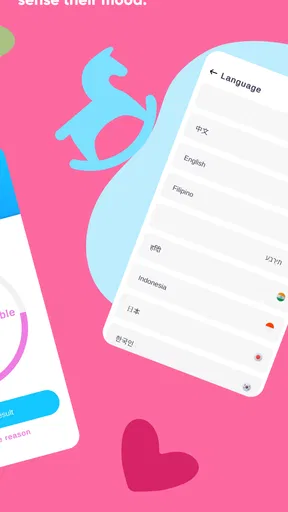
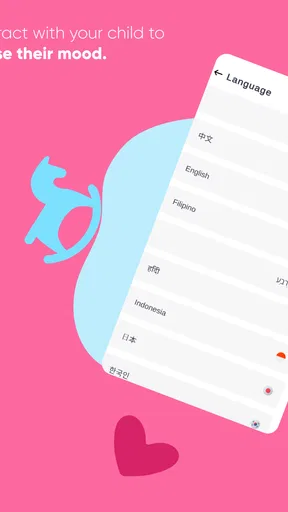
The app also supports multiple languages, making it accessible to a broader audience. This inclusivity is a big plus in my book.
Small habits that make tracking more helpful
Pattern logs are most valuable when I use them as context, not proof. A parent might notice that unsettled periods often cluster around a particular part of the day, then compare that observation with feeding and sleep routines. One practical approach is to record only episodes that reveal something useful, rather than trying to document every sound. That keeps tracking from becoming another tiring job and makes the entries easier to interpret later.
Reminders can also be a mixed blessing. They may help a caregiver remember a routine during a busy day, but a scheduled prompt should not be treated as an instruction to feed or put a baby down regardless of cues. I’d use any reminder as a memory aid, then respond to the child’s actual signals. The same caution applies when several caregivers share the app: agreeing on how to read suggestions can prevent one person’s tentative interpretation from becoming a rigid rule.
Who may prefer another approach
This is most appealing to parents who want a quick, low-pressure prompt while they are learning their baby’s patterns. It may also suit a caregiver who is taking a shift and wants a structured first step before trying familiar checks. On the other hand, parents who prefer not to analyze audio, who already have a routine that works, or who want medical guidance should look to a more appropriate source for those needs. The app is not a diagnostic service, and a possible cry category cannot explain every cause of distress.
There is also a practical trade-off in the moment itself: opening an app, recording, and reading a result takes attention. If the baby is in your arms and needs immediate soothing, that attention may be better spent responding directly. I’d skip recording whenever it interrupts care, and use the tool only when it can sit comfortably alongside it.
Room for Improvement
While the Baby Translator & Cry Analyzer is a fantastic tool, there’s always room for growth. The app could benefit from more detailed cry categorizations and additional insights into less common cry reasons. Also, integrating a community feature where parents can share tips and experiences could enhance the user experience.
Cost, access, and getting started
The app is free to download, with optional in-app purchases ranging from $1.99 to $19.99 per item. I would start with the free experience and decide whether it genuinely earns a place in the routine before considering any purchase. For a tool used occasionally, paying for more may not make sense; for a caregiver who finds the analysis and logs consistently useful, the value depends on what the available purchase actually offers and whether that matches their needs.
It comes from Bankrot Studio and is rated for Everyone. The current version is 1.03.12, and it runs on operating systems from 7.1 onward. It has an average rating of 3.3 from around 1.1K ratings, with 45 written reviews, and has passed 500K installs. Those figures suggest that plenty of people have tried it, but they do not tell me whether it will suit a particular baby or family. I’d judge it by whether its suggestions help in your own routine, not by popularity alone.
Final Thoughts
Overall, the Baby Translator & Cry Analyzer is a handy app for anyone navigating the early days of parenthood. While it may not replace your instincts, it serves as a useful guide to understanding what your baby might need. It’s like having a digital assistant to ease some of the guesswork and help you tune into your baby’s world a little better.
So, if you’re looking for a bit of extra help decoding your baby’s cries, this app could be worth a shot. It’s an innovative blend of technology and parenting, ready to lend a hand—or rather, an ear.
My recommendation
I’d recommend trying it if you want an additional way to organize your first response to a cry, especially while you are still learning what your baby’s patterns look like. Keep the process gentle: respond first when the baby needs you, use an analysis only when convenient, and compare its suggestions with what you observe. That makes the app a helper rather than an authority.
I would skip it if you expect a reliable answer every time, need clinical advice, or find that recording adds stress to an already difficult moment. For everyone else, it is a modest experiment: start without spending, see whether the guidance and pattern tracking actually save uncertainty, and keep the parts that help. The best outcome is not a perfect translation; it is a caregiver who feels a little more prepared while staying attentive to the baby.
Pros
- Intuitive interface for easy navigation.
- Accurate analysis of baby's cries.
- Supports multiple languages.
- Real-time alerts and notifications.
- Customizable settings for preferences.
Cons
- Limited free features available.
- Requires a stable internet connection.
- Occasional false positives in analysis.
- No offline mode for remote areas.
- Subscription can be costly over time.
FAQs for Baby Translator & Cry Analyzer
How does the Baby Translator & Cry Analyzer work?
The Baby Translator & Cry Analyzer utilizes advanced algorithms to analyze the sound patterns of a baby's cries. By comparing these patterns with a comprehensive database, the app can provide insights into potential reasons for the crying, such as hunger, discomfort, or sleepiness. This analysis helps parents better understand their baby's needs.
Is the Baby Translator & Cry Analyzer accurate?
While the app uses sophisticated technology to analyze cry patterns, it’s important to remember that it cannot guarantee 100% accuracy. Babies may cry for numerous reasons, and individual differences can affect results. It's best used as a supportive tool alongside parental intuition and observation.
Can the app be used for all ages of infants?
The Baby Translator & Cry Analyzer is designed primarily for newborns and young infants, typically up to six months old. As babies grow older, their cries and communication evolve, which may reduce the app's effectiveness. Always consider developmental stages when using such tools.
Does the app require an internet connection to function?
The app typically requires an internet connection to access its full database and perform accurate analyses. However, some basic functionalities might be available offline. For optimal performance and up-to-date insights, it's recommended to use the app with a stable internet connection.
Is my baby's data secure with the Baby Translator & Cry Analyzer?
The app prioritizes user privacy and security. It typically employs encryption protocols to protect any recorded data. However, it’s advisable for users to review the app’s privacy policy to understand how data is collected, used, and stored, ensuring it meets personal privacy standards.


